Plugins & Extensions

Bring mdfy everywhere.

Capture from any AI, preview in Finder, publish from your editor. Every document gets a permanent URL — editable, versioned, and readable by humans and AIs across every platform.

What you can do

Research across AIs

ChatGPT researches → Extension captures → mdfy.app/abc123 → Paste URL in Claude → Claude refines

Move knowledge between AIs without copy-paste formatting nightmares. The document is the bridge.

Capture → Publish → Share in 3 seconds

See a great AI response → Click mdfy button → Beautiful URL auto-generated → Send to anyone

Recipient sees a polished document, not a raw chat screenshot. No app needed to view it.

AI-readable document references

Publish to mdfy.app/abc123 → Tell any AI "read mdfy.app/abc123" → AI fetches and understands

mdfy.app URLs work as context for any AI. Your documents become reusable knowledge across conversations.

Preview any .md file in Finder

Select file → Press Space → Full rendering with code, math, diagrams → Click "Open in mdfy.app" to edit

macOS QuickLook shows raw Markdown by default. mdfy QuickLook shows it beautifully rendered.

Publish from your editor

Write in VS Code → Cmd+Shift+M preview → One command to publish → Share URL with team

Never leave your editor. Write, preview, publish. The URL updates when you push changes.

Build reports from multiple AI sessions

Capture ChatGPT analysis → Capture Claude code review → Capture Gemini summary → Combine in mdfy.app → Single URL

Each AI has strengths. Combine outputs from multiple AIs into one professional document.

Short URLs that AIs can read

Every mdfy.app document has a short URL. Share it with humans or paste it into any AI conversation. Claude, ChatGPT, and Gemini can all fetch and understand the content — your documents become reusable context across AI sessions and platforms.

No login wall. No paywall. The URL works everywhere — browsers, AI chats, Slack, email, embeds.

Example
You: Read mdfy.app/abc123 and summarize the key points
AI: Based on the document at mdfy.app/abc123, here are the key points...
You: Now compare with mdfy.app/def456

Chrome Extension

mdfy.app — Publish AI Output

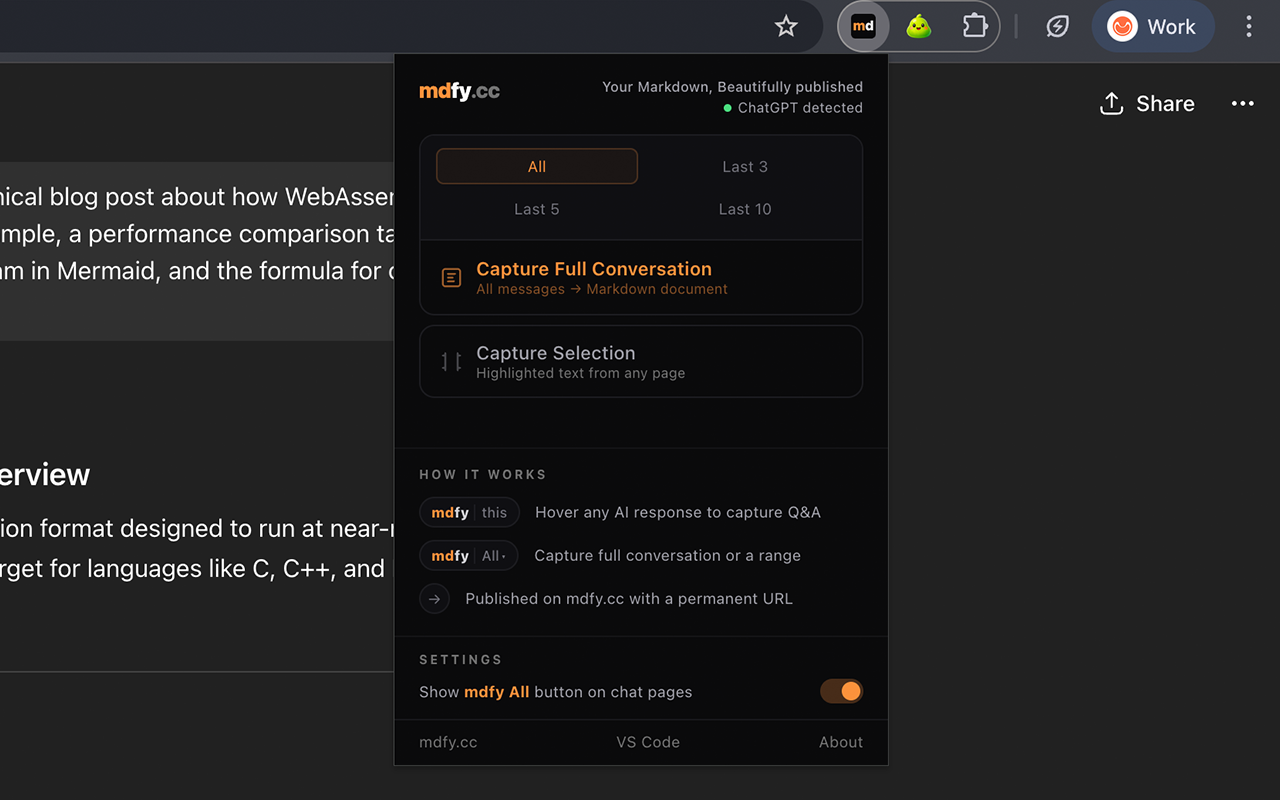
One-click capture from ChatGPT, Claude, and Gemini. Open any GitHub .md file in mdfy.app for beautiful rendering. Turn AI conversations into shareable documents. The captured URL works as context in other AI conversations.

Add to Chrome
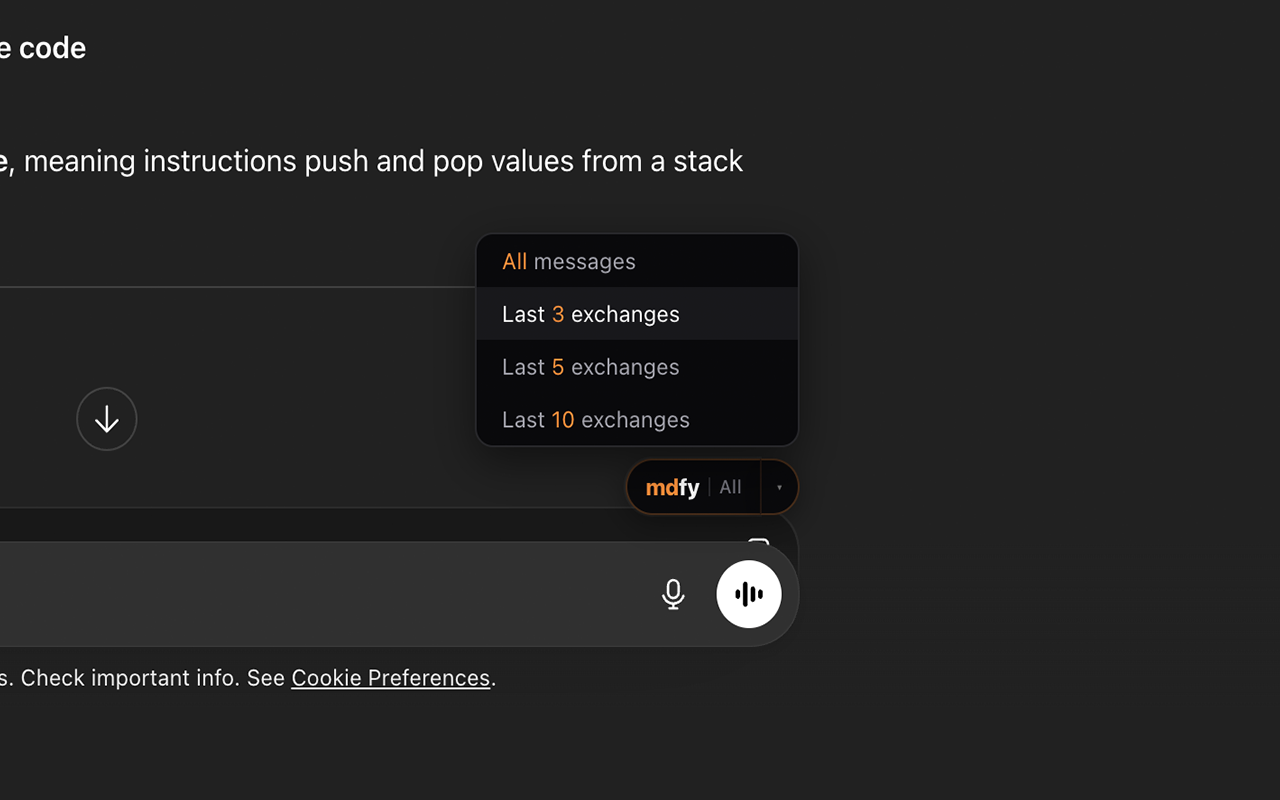
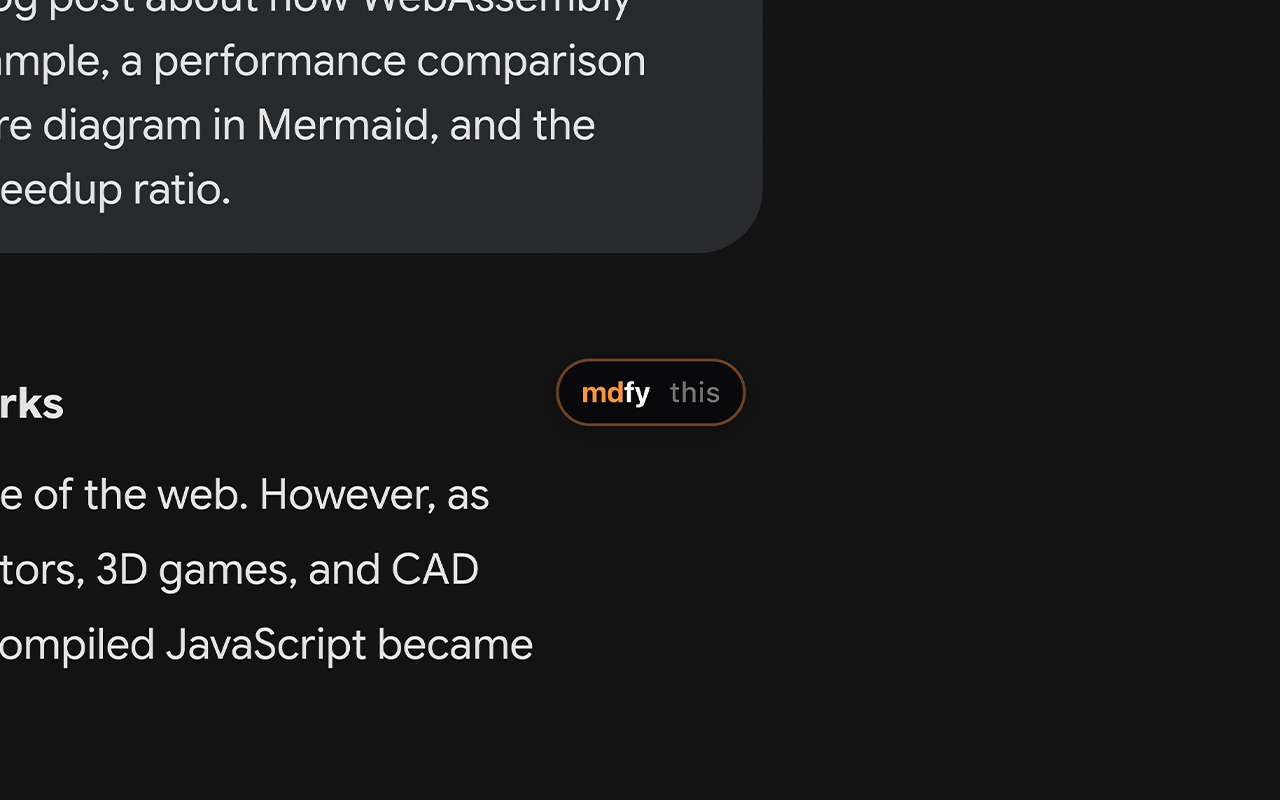
mdfy Chrome extension screenshot 1
mdfy Chrome extension screenshot 2
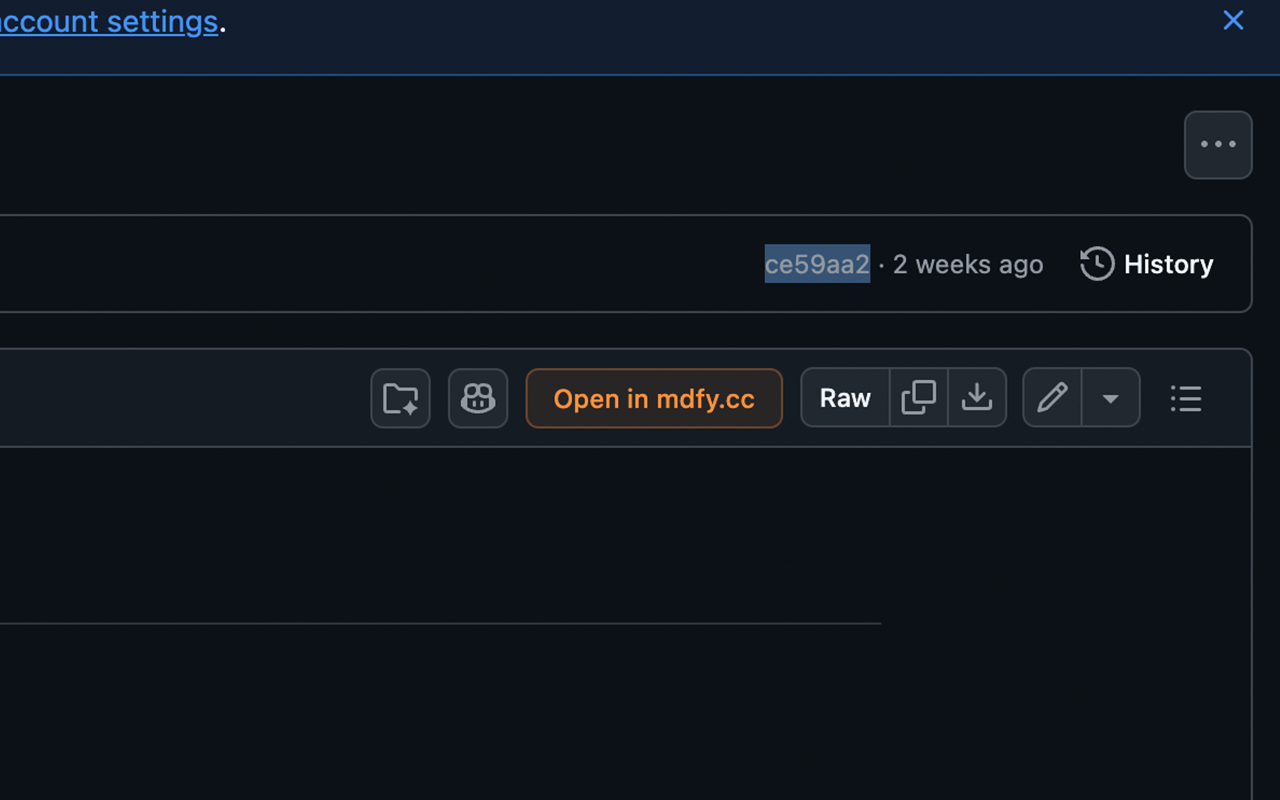
mdfy Chrome extension screenshot 3
mdfy Chrome extension screenshot 4

Platform Support

  • +ChatGPT (chat.openai.com)
  • +Claude (claude.ai)
  • +Gemini (gemini.google.com)
  • +GitHub — any .md file

Capture Methods

  • +Hover button — single AI response
  • +Popup — full conversation or selection
  • +GitHub — Open in mdfy.app button
  • +Right-click — any selected text

Smart Conversion

  • +HTML → clean Markdown
  • +Code blocks preserved
  • +Tables, lists, headings
  • +User/Assistant formatting

Seamless Transfer

  • +Small content → URL hash (instant)
  • +Large content → clipboard + toast
  • +Gzip compression (same as mdfy.app)
  • +Opens in mdfy.app editor

Install

1Download the extension package below
2Unzip the downloaded file
3Open chrome://extensions and enable Developer Mode (top right toggle)
4Click "Load unpacked" and select the unzipped folder
5Visit ChatGPT, Claude, or Gemini — the mdfy button appears
Download v2.0.042 KB
Add to ChromeDownload v2.0.0Quick Start Guide

MCP Server

mdfy-mcp on npm

Connect any AI tool to mdfy.app. Create, read, update, and manage documents programmatically.

Add to Claude
Claude Code
You: Publish my meeting notes to mdfyClaude: I'll create the document now. mdfy_create({ markdown: "# Meeting Notes..." })Document created: URL: https://mdfy.app/abc123 Status: publicly accessibleYou: Make it private mdfy_publish({ id: "abc123", published: false })Document is now private (draft).

25 MCP Tools

  • +6 core CRUD -- create, read, update, delete, list, search
  • +Append/prepend -- grow logs and journals
  • +Sections -- outline, extract, replace by heading
  • +Sharing -- password, expiry, email allowlist
  • +Versions -- history, restore, diff
  • +Folders, stats, recent, duplicate, import URL

Compatibility

  • +Claude Web (claude.ai) -- hosted HTTP MCP
  • +Claude Desktop / Claude Code -- stdio
  • +Cursor / Windsurf / Zed -- HTTP or stdio
  • +ChatGPT, Gemini, and any MCP client

Developer Experience

  • +Auto-managed edit tokens
  • +Zero config -- just npx mdfy-mcp
  • +JSON in, JSON out
  • +Full REST API fallback

Install

Option A — Claude Web / Cursor (hosted, no install)

Add this URL in your client’s MCP / Connectors settings:

https://mdfy.app/api/mcp

Option B — Claude Desktop / Claude Code (local stdio)

Create .mcp.json in your project:

{
  "mcpServers": {
    "mdfy": {
      "command": "npx",
      "args": ["mdfy-mcp"]
    }
  }
}
Setup GuideView on npm|Quick Start Guide|API Reference

VS Code Extension

mdfy.app — Markdown Publisher

WYSIWYG preview with mdfy.app rendering quality, cloud sync, and real-time collaboration. Edit directly in the rendered view, auto-push on save, and resolve conflicts with the built-in diff editor.

Install Extension
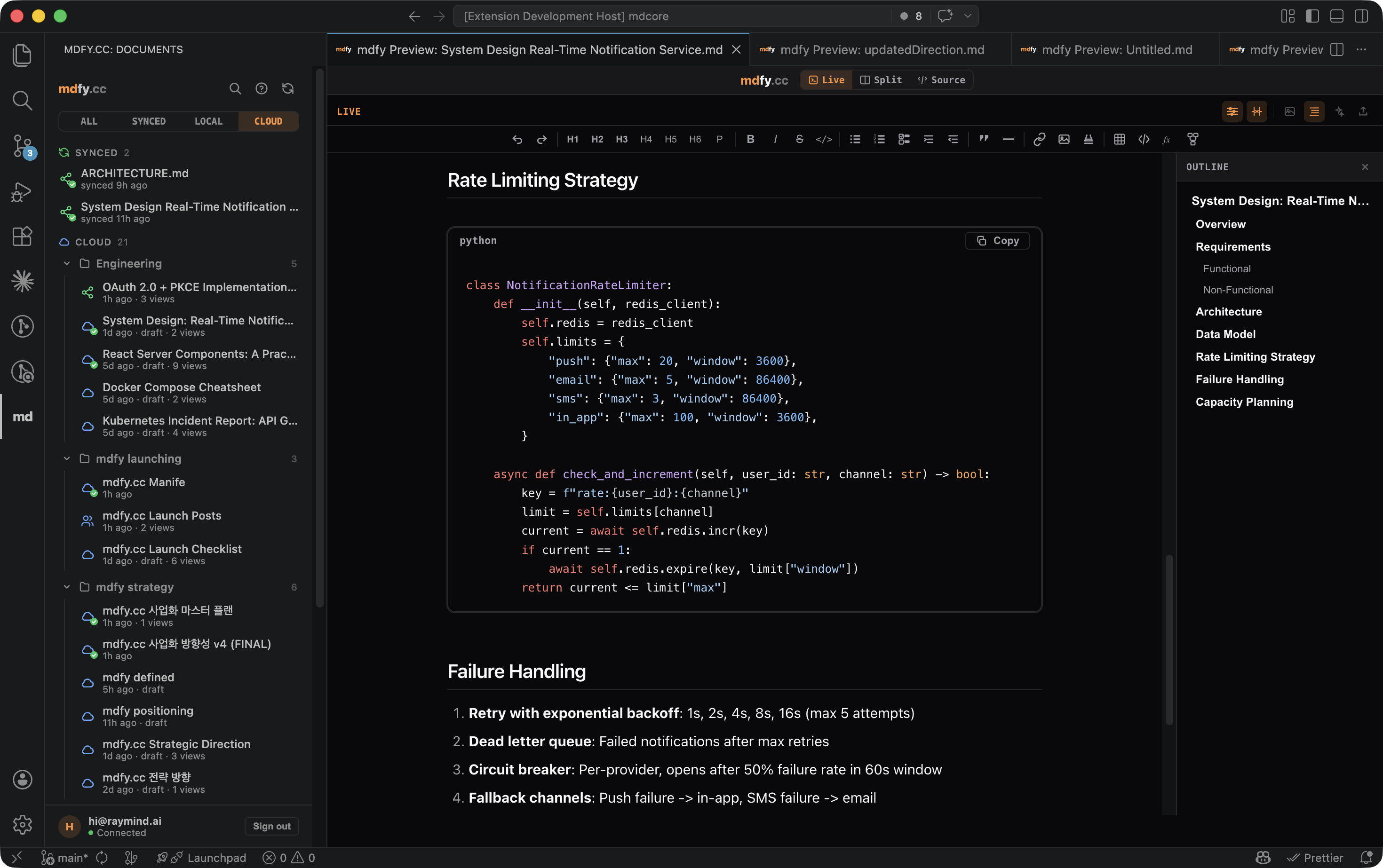
mdfy VS Code extension — WYSIWYG preview with sidebar, toolbar, and document outline

WYSIWYG Preview

  • +Cmd+Shift+M opens editable preview
  • +Click and type directly in rendered view
  • +Toolbar: bold, italic, headings, lists
  • +Dark/Light theme auto-detection

Cloud Sync

  • +Auto-push on file save (2s debounce)
  • +Auto-pull when server changes detected
  • +Configurable polling interval (10-300s)
  • +Offline queue for failed pushes

Collaboration

  • +Share URL → anyone can view/edit
  • +Server changes pull to local file
  • +Conflict detection → VS Code diff editor
  • +Three merge options: pull/push/diff

Editor Integration

  • +Status bar: ✓ synced / ↑ pushing / ↓ pulling
  • +OAuth login via browser redirect
  • +.mdfy.json sidecar for sync metadata
  • +Publish from command palette
  • +Sidebar with local/synced/cloud document bridge
  • +CodeMirror source view with GFM syntax highlighting
  • +View mode switcher (Live/Source)

Install

1Download the .vsix file below
2Open VS Code, go to Extensions (Cmd+Shift+X)
3Click ••• menu > Install from VSIX... > select the downloaded file
4Open any .md file > Cmd+Shift+M to preview
Install ExtensionDownload .vsixQuick Start Guide

mdfy for Mac

Desktop app — Electron

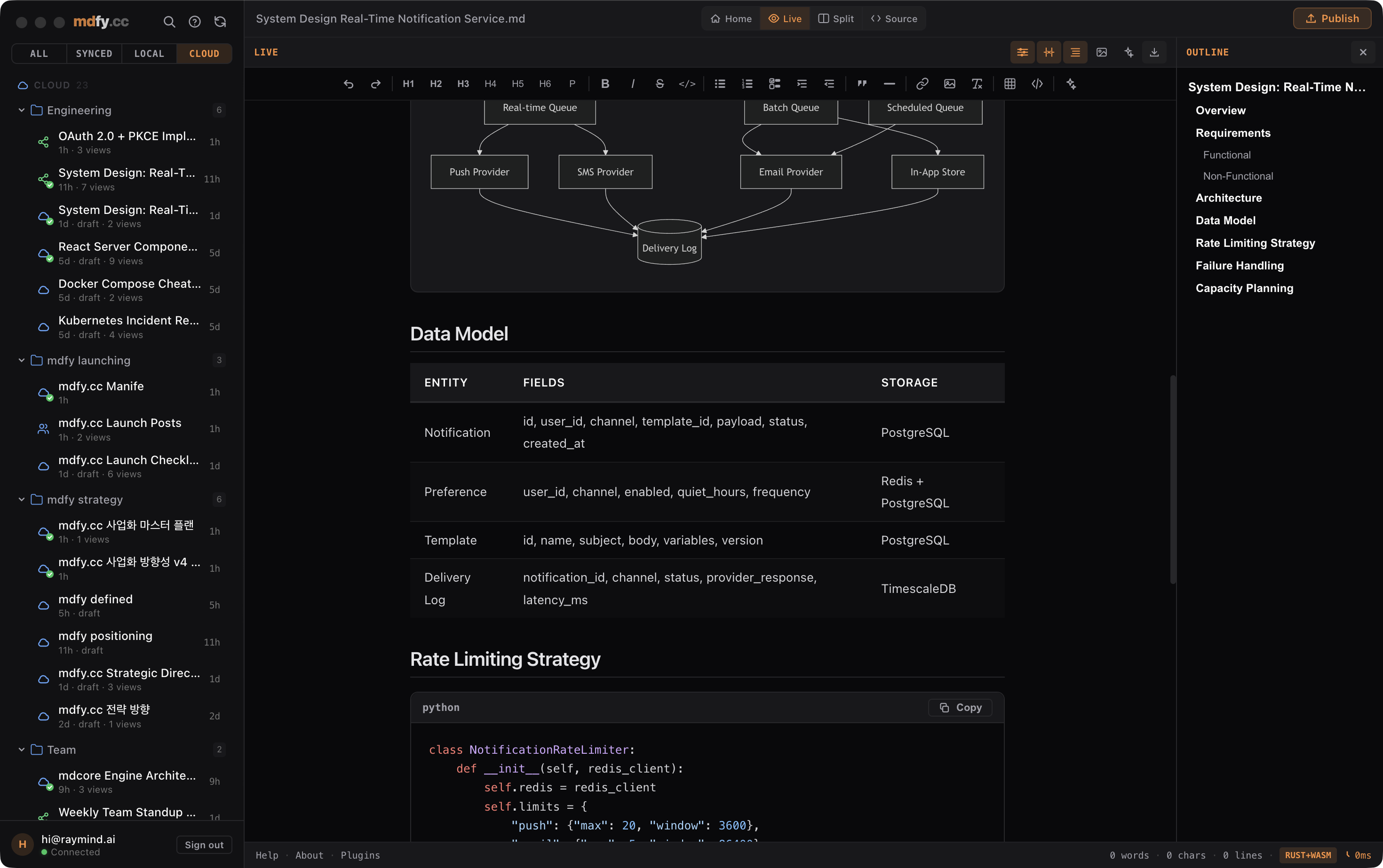
Native macOS desktop app with full mdfy.app editing, local file support, and drag-and-drop import for PDF, Word, PowerPoint, Excel, and 10+ formats. Double-click any .md file to open it in mdfy.

Download for Mac
mdfy for Mac — sidebar with cloud folders, Mermaid diagrams, tables, and document outline

Native File Integration

  • +Double-click .md to open in mdfy
  • +Drag & drop any supported format
  • +Save back to local file (Cmd+Shift+S)
  • +Recent files dashboard

Multi-Format Import

  • +Markdown, PDF, Word (.docx)
  • +PowerPoint (.pptx), Excel (.xlsx)
  • +HTML, CSV, JSON, XML, LaTeX
  • +RTF, reStructuredText, plain text

Full mdfy.app Editor

  • +WYSIWYG + Source editing modes
  • +Cloud sync and sharing
  • +All rendering: code, math, diagrams
  • +Dark/Light theme

Desktop Experience

  • +Native macOS title bar
  • +Single-instance with file handoff
  • +Keyboard shortcuts (Cmd+N/O/S)
  • +Offline fallback when disconnected

Install

1Download the DMG file below
2Open the DMG and drag mdfy to Applications
3Launch mdfy from Applications
Download for Mac97 MB (Apple Silicon)App Store (coming soon)Quick Start Guide

CLI Tool

mdfy — npm package

Publish Markdown from your terminal. Pipe from any command — tmux, AI assistants, git log, clipboard. Every output becomes a shareable URL.

npm install -g mdfy-cli
Terminal
# Publish a file$ mdfy publish README.mdhttps://mdfy.app/abc123 URL copied to clipboard# Pipe anything$ echo "# Hello World" | mdfy publishhttps://mdfy.app/def456 URL copied to clipboard# Read in terminal$ mdfy read abc123# Hello WorldThis is a published document...
mdfy publish README.md

Publish a file and get a URL

echo "# Hello" | mdfy publish

Publish from stdin (pipe)

tmux capture-pane -p | mdfy publish

Capture tmux pane

pbpaste | mdfy publish

Publish clipboard contents

mdfy pull abc123 -o doc.md

Download a document

mdfy list

List your published documents

npm install -g mdfy-cliView on npmQuick Start Guide

macOS QuickLook

Preview .md files in Finder

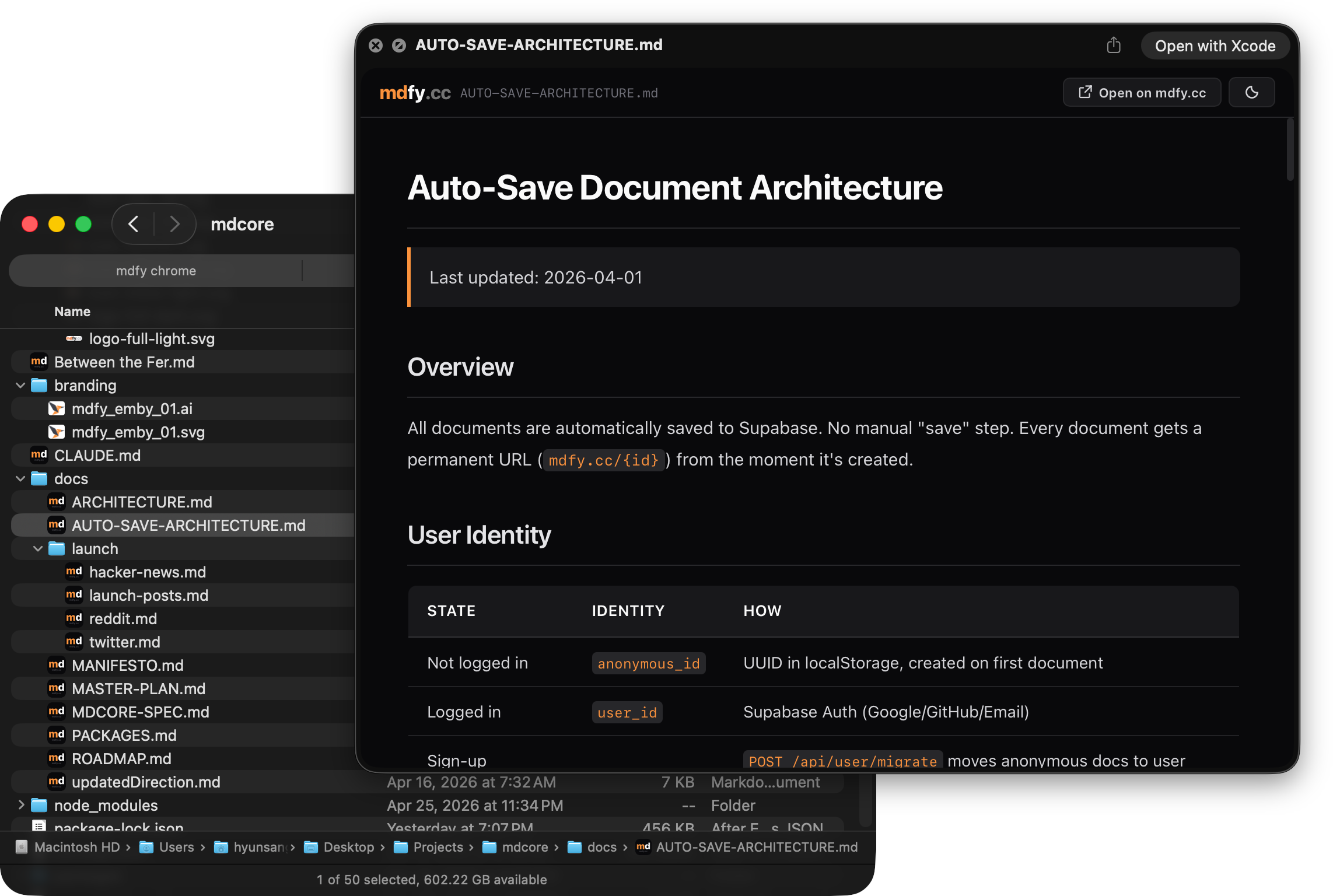
Press Space on any .md file in Finder to see it beautifully rendered — GFM tables, syntax highlighting, math, and Mermaid diagrams. Click “Open in mdfy” to edit in the desktop app or web editor.

Download QuickLook
mdfy QuickLook — press Space in Finder to preview rendered Markdown with tables and code

Full Rendering

  • +GFM tables, task lists, footnotes
  • +190+ language syntax highlighting
  • +KaTeX math (inline + display)
  • +Mermaid diagrams

Offline Ready

  • +Built-in Markdown renderer (no CDN needed)
  • +CDN enhancement when online
  • +Graceful fallback for all features
  • +Works in airplane mode

Native Integration

  • +Matches macOS dark/light appearance
  • +"Open in mdfy" button (desktop app or web)
  • +Code copy buttons
  • +Theme toggle in preview

Zero Config

  • +Install once, works system-wide
  • +All .md / .markdown files supported
  • +No background processes
  • +Lightweight QuickLook extension

Install

1Download and unzip MdfyQuickLook.zip below
2Move MdfyQuickLook.app to Applications folder
3Open MdfyQuickLook.app once (registers the QuickLook extension)
4Go to System Settings > General > Login Items & Extensions > Quick Look, and enable mdfy
5Select any .md file in Finder and press Space
Download QuickLook45 KB (.zip)Included with Mac AppQuick Start Guide

On the Roadmap

Obsidian Plugin

PLANNED

Publish Obsidian notes to mdfy.app with one command

Raycast Extension

PLANNED

Quick capture and publish from Raycast

Slack Bot

PLANNED

Share documents directly in Slack channels

Alfred Workflow

PLANNED

Capture clipboard and publish instantly

iOS / Android

PLANNED

Share sheet integration for mobile publishing

Want to build a plugin? The engine is open source.

View on GitHubOpen Editor